![Gradient_Horizontal_onDark-2.png]](https://support.goconsensus.com/hs-fs/hubfs/Gradient_Horizontal_onDark-2.png?height=40&name=Gradient_Horizontal_onDark-2.png)
Integration Overview:
- Functionality includes:
-
- Consensus Demolytics will be available on each deal/evaluation workspace in Homerun
- Aggregate view of the Demo Boards: Name, Date Created, Total Recipients, Engagement, Total View Time, Total Views, Last Activity, and Owner (see below)
- Homerun user can click into the DemoBoard to see the Viewed and Invited tables associated with the Demo Board (see below)
- Hyperlink that opens new browser window and takes Homerun user to the Demo Board in Consensus.
Why Is it Important?
- Empower presales team members with more data prior to upcoming SE engagements.
- SEs want to know what has a prospect seen so far, how have they prioritized demo content, and who has seen the demo content.
Administration and Setup
- To connect to Consensus, visit the available “Connectors” for your Homerun account, and select Consensus.
- You will need to be an administrator of your Consensus account in order to have access to your API Key and Secret.
- Enter your connection details and select “Save.”
 Administration and Setup
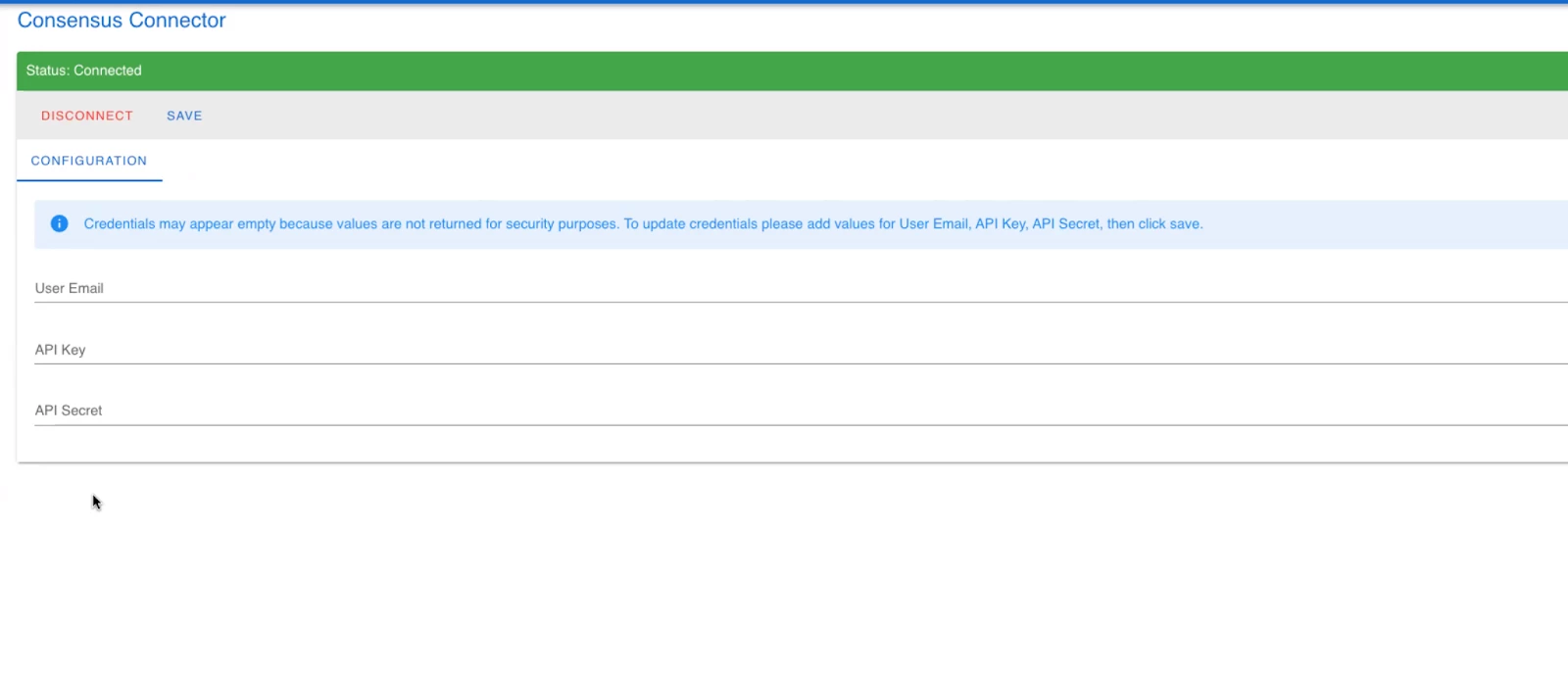 Consensus Connector
Adding a Demoboard to an Evaluation Workspace
Manually add a demo via the demoboard URL
- You can add multiple demoboards related to an opportunity. Currently this is done manually by pasting the demoboard URL from Consensus web app.
- Homerun parses out the demoboard UUID from the link and sends a request to our API to fetch that specific demoboard.
- You can see a nice glimpse of overall views, last activity, etc from this level.
- Actions - “View Details”
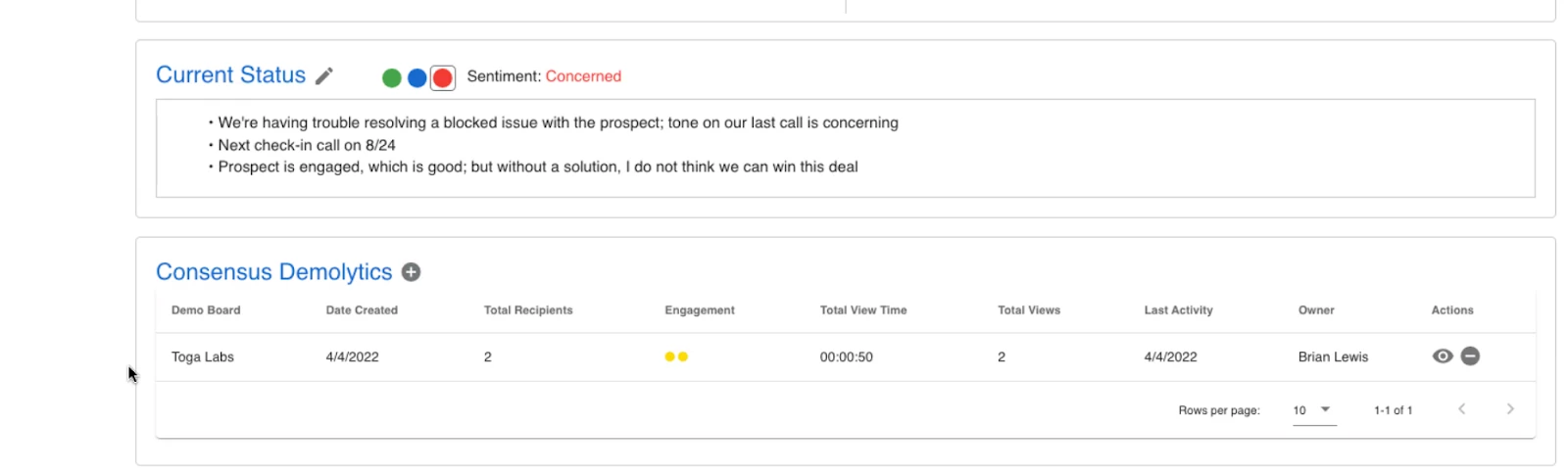 Adding a Demoboard to an Evaluation Workspace
Demoboard Details View
This table provides more detailed look at data on each viewer of a demoboard, and on the features that they marked as important to them.
- Actions from this view:
- Click link icon to be taken directly to demoboard link screen in Consensus.
- Clik on analytics icon to be taken to the Consensus heatmap
 Demoboard Details View