![Gradient_Horizontal_onDark-2.png]](https://support.goconsensus.com/hs-fs/hubfs/Gradient_Horizontal_onDark-2.png?height=40&name=Gradient_Horizontal_onDark-2.png)
**Note: These settings are only activated when recording a SNAP video. If you are sending an "Existing Demo," then the system will use the theme/settings assigned to the Existing Demo.**
Click on your profile Icon on the top right-hand corner of Consensus Snap:
Select the Settings tab:
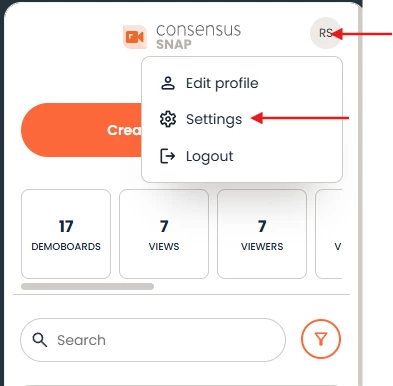 Settings Tab
Within the Setting tab, you'll be able to update the following:
- Change the language of the demo player (this will only adjust the language found on the demo player and will not translate the videos within the demo)
- Add your phone number and live chat link
- Add a Favicon Logo, Player Logo, and Cover logo
- Accepted formats are: gif, jpg, and png
- Pick your Call-To-Action/ Pop-Up Color and Cover Color
- Dictate when the "Share this Demo" CTA populates
- Enable or disable the Buyer Board
-
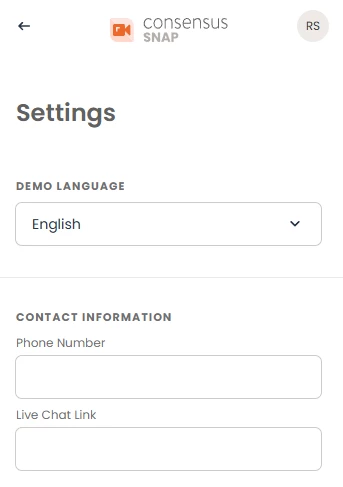 Settings Tab
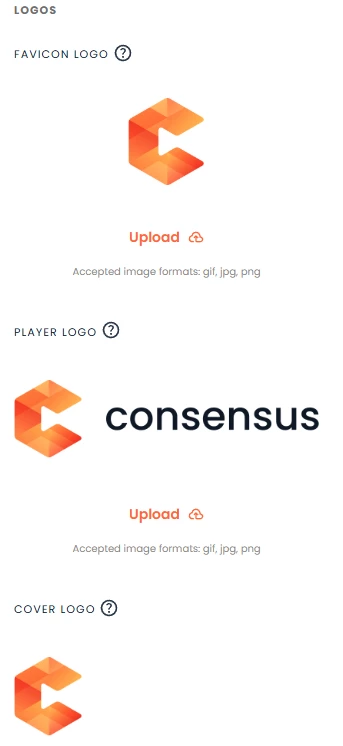 Logos
Logos Click on the Save button!
Once you've finished updating your Settings, don't forget to click the Save button, and you’re all set up!