
Updating the Feature title in your Standard Demo
Rename feature titles in your Standard Demo
Feature titles are what viewers see when they rate features in a Standard Personalization Demo. Renaming a feature is a quick edit in the Demo Wizard — the change applies to the demo and every existing DemoBoard built from it.
Step-by-step
- In the left-hand sidebar, click Library → Demos.
- Find the demo, hover the row, and click the pencil icon.
- Jump to Step 3 (Demo Content).
- Click any feature's gray box to open its editor and update the title or description.
- Click Save & Exit. Demo and DemoBoards update automatically.
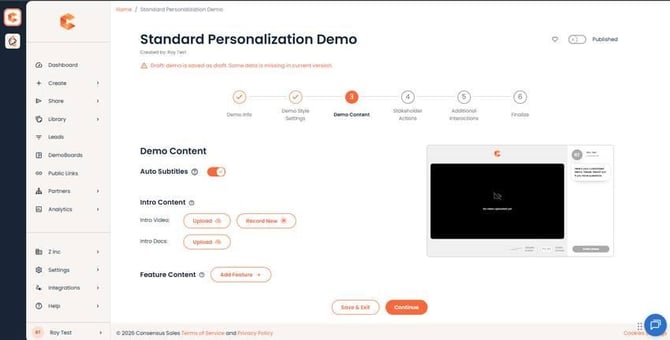 Step 3: Demo Content — click any feature's gray box to edit its title.
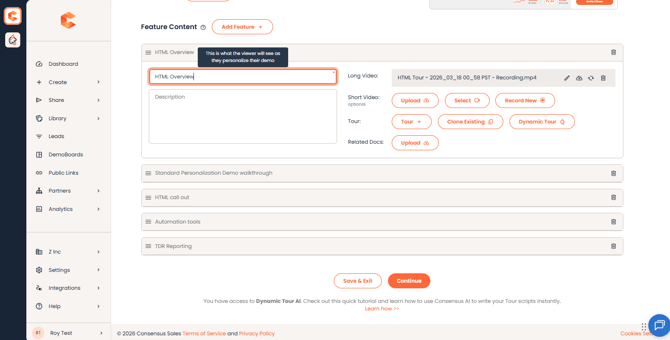 The highlighted area is where you can edit your 'Feature Title.'
Reorder while you're there
Use the three horizontal lines (drag handle) on the left of any feature row to reorder. Order in the wizard = order viewers see during rating and playback. See "How to reorder features in a Standard Personalization Demo" for more.
Permissions
You need at least Can Edit access on the demo to rename features.