
Configure cookie behavior on your demos
Demoplayer Cookie Management controls whether the DemoPlayer presents a cookie consent banner to viewers and which categories of cookies (essential, analytics, marketing) are enabled by default. Important for GDPR, CCPA, and similar privacy regimes — the banner is how viewers exercise consent.
Where to find it
Settings → Global Demo Settings → Demo Viewer Settings → Privacy & Security → Demoplayer Cookie Management.
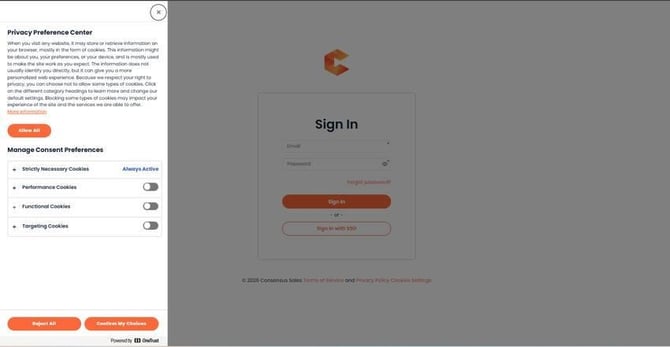 Cookie Management settings page.
What viewers see
When the banner is enabled, viewers see a consent prompt the first time they open any demo from your account. They can Accept All, Reject Non-Essential, or customize per-category.
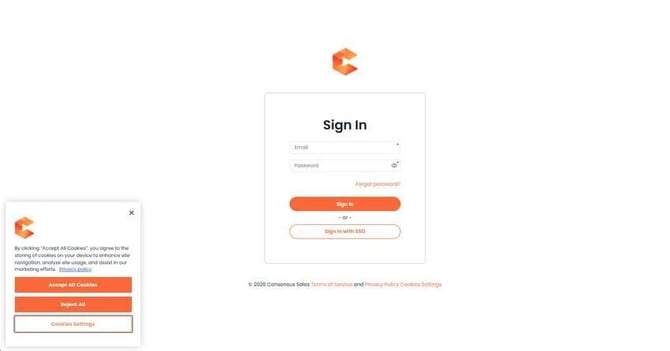 Cookie consent banner on the DemoPlayer.
Categories
- Essential — required for the DemoPlayer to function. Cannot be opted out.
- Analytics — used to measure viewing behavior, generate Demolytics, populate heatmaps. If a viewer rejects this category, their views still happen but with reduced attribution data.
- Marketing — used to attribute leads to campaigns, support retargeting. Most optional category from a Consensus-functionality perspective.
Embedded demos and the banner
For demos embedded on your website via iframe, you can suppress the cookie banner if your own site already handles consent. Append `?hideCookieBanner=true` to the demo URL in the iframe. See "How to Embed a Demo on your Website using an iFrame" for details.