
Block submissions from specific email domains
For Public Link Lead Forms, Consensus admins can block submissions from specific email domains — useful for filtering out competitors, low-quality lead sources, or free-email signups that won't convert.
Where to manage blocked domains
Settings → Global Demo Settings → Public Links Lead Forms tab.
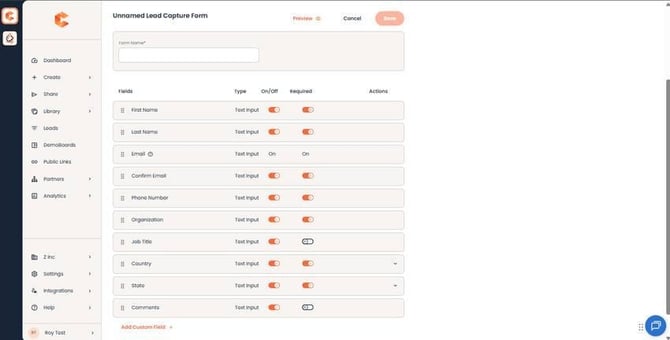 Public Links Lead Forms tab — domain restriction controls live in the Lead Form builder.
How to add and remove blocked domains
Type out specific domains
Add individual domains one at a time — `competitor1.com`, `gmail.com`, `spamfarm.io`, whatever fits your situation. Submissions from any matching address are blocked.
Block all free email domains in one click
Use the "Block free email domains" checkbox to add the full list of common free providers (Gmail, Yahoo, Outlook.com, etc.) at once. The "View all" link shows the complete list so you can audit what's included.
Remove a domain
Click the X next to any domain in the block list to remove it. The change takes effect on every Public Link in your account immediately.
What viewers see
When a lead tries to submit using a blocked domain, the Lead Capture Form rejects the submission with an inline message — they cannot proceed to view the demo from that Public Link. Their attempt is not logged in your Demolytics, so blocked domains don't inflate your "leads captured" numbers.
When to use this
- Competitor protection — block known competitor domains so they can't see your public-facing demos.
- Lead quality — block free-mail domains if your sales motion only converts business emails. Reduces noise in your CRM.
- Compliance / region — block specific country code domains in jurisdictions where you can't or don't want to operate.