
SNAP extension download walkthrough
In this article, we will review how you can add Consensus Snap to your Microsoft Edge browser.
The Consensus Snap plug-in allows you to quickly create unique DemoBoard invitation links for your prospects using a Demo that already exists within your account or by quickly recording a new Demo. Because Microsoft Edge is built on Chromium, you can use the Google Chrome Consensus Snap extension right within Edge.
Installing Consensus Snap in Microsoft Edge
- Navigate to the Google Chrome Extension Store (https://chrome.google.com/webstore/category/extensions)
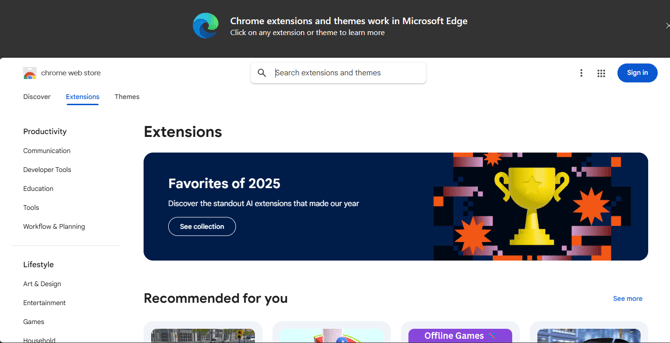
- Search for 'Consensus Snap' within the extension page search
and click Consensus SNAP to install SNAP extension.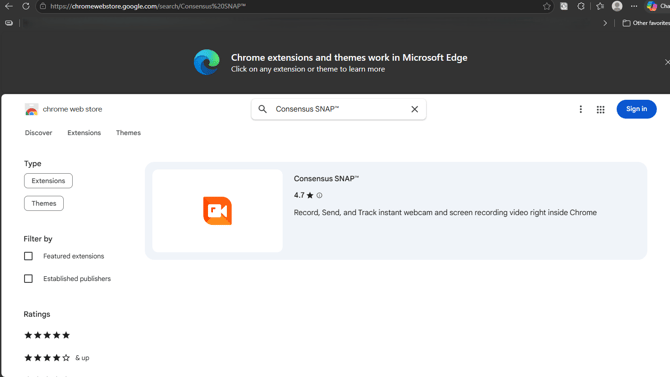
- Click on the 'Get' button and follow the prompts to allow Consensus Snap Video on your Edge browser.
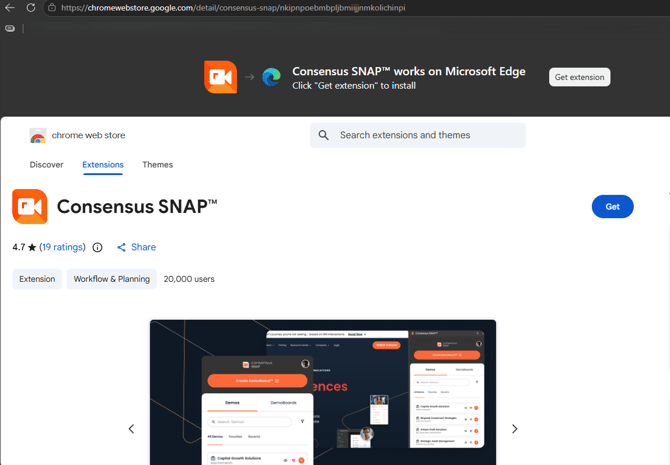
- You now have Consensus Snap installed on Edge!
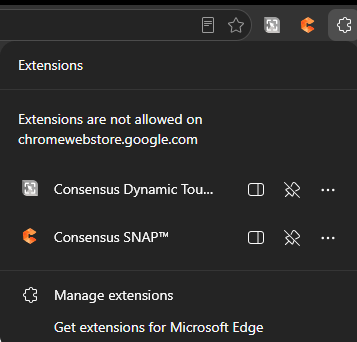
NOTE: Chrome extensions cannot be opened within the Extensions page, so you will need to navigate to a different website to be able to activate the Consensus Snap extension
REMINDER: The first time you record a demo using Consensus Snap you will need to allow it to use your Mic & Camera for recording audio & video.