
Feature Overview
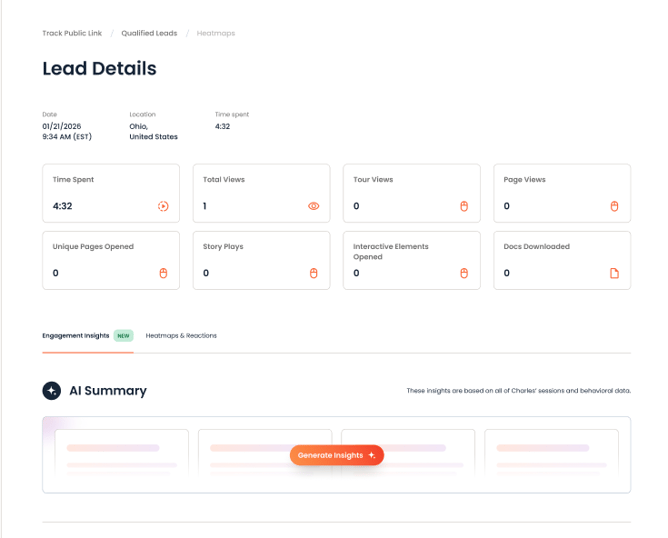
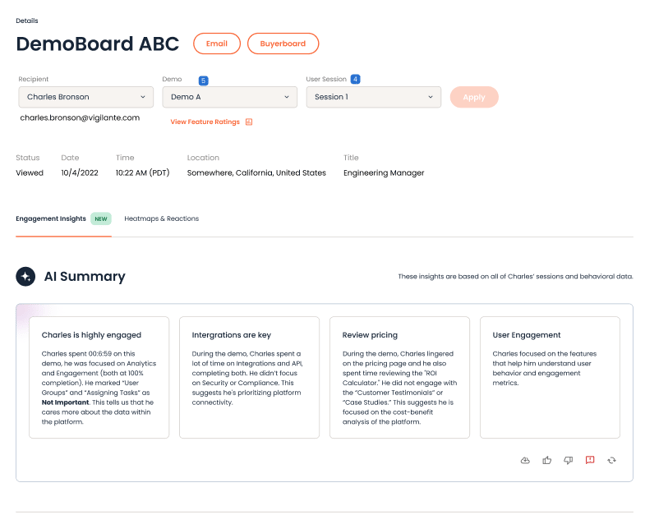
Engagement Insights appears on the Heatmaps page for both DemoBoard recipients and Qualified Leads.
Getting Started
How to generate insights
- Open the Heatmaps page for the session you want to review.
- Select the Engagement Insights tab.
- Click Generate Insights.
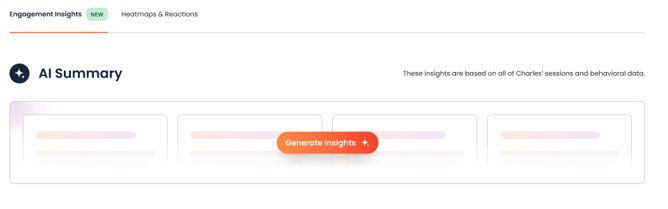
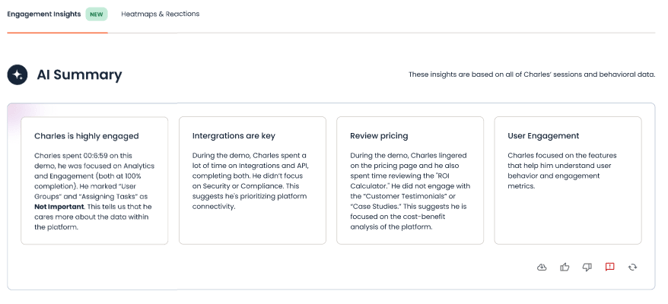
NOTE: Insights typically take a few seconds to generate. Once ready, you'll see a set of 3–4 cards summarizing the session.
What Engagement Insights Looks At
Each summary is generated from that specific viewing session — including which sections were watched and re-watched, which topics were rated highest/lowest, any reactions or comments left, tour completion steps, and any discovery questions the viewer answered during the session. It's designed to only surface things that actually happened in the session, so a shorter or quieter session will produce a shorter, more conservative summary rather than an inflated one.
Understanding Your Insight Cards
Depending on the session, you may see up to four types of cards:
Topics of Interest — Which parts of the demo the viewer engaged with most, based on reactions, comments, and rewatched sections.
Engagement Depth — How much time the viewer spent, how many features or tours they completed, and whether their behavior went beyond passively watching (e.g. leaving comments, replaying a section).
Buyer Profile — What the session tells you about who this viewer is — for example, a role they self-identified during the demo, or their organization and location.
Watch Outs — Any friction points worth knowing about before you reach out — for example, a tour that wasn't finished, or a negative reaction at a specific point.
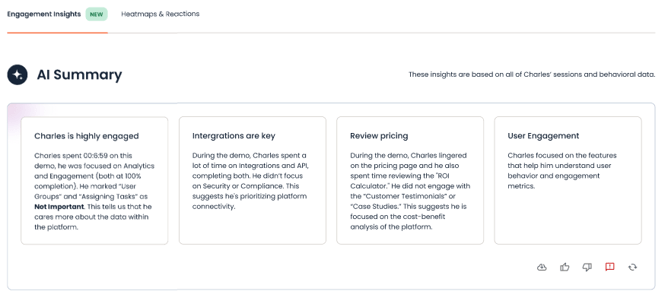
Not every session will produce all four card types. If a viewer didn't answer any questions during the session, for instance, you may not see a Buyer Profile card — this is expected, and it means there wasn't enough information to generate one reliably rather than the feature not working.
Giving Feedback on an Insight
Each set of insights includes a thumbs up / thumbs down option, plus a refresh icon to regenerate the summary.
- Use thumbs up if the insights were accurate and useful.
- Use thumbs down if something looked off, so we can keep improving the feature.
- Use the refresh icon to generate a new summary for the same session.
Best Practices
- Getting the most detailed insights: Insights are most detailed for sessions with more engagement (reactions, comments, completed tours, topic rankings, discovery demo questions and answers). A very short or quiet session will still generate a summary, but it will be shorter and more general.
- Planning a follow-up: Use the Topics of Interest and Watch Outs cards together — lead with what resonated, but check any watch-outs before assuming the whole session went well.
FAQ
Does this work if the viewer barely interacted with the demo?
Yes, as long as that session had at least 10 seconds of view time. You'll still get a summary, but it will be shorter and will only reflect what actually happened in the session (for example, total time spent) rather than guessing at interest that wasn't shown.
Can I regenerate the insights if they don't look right?
Yes — use the refresh icon to generate a new summary, and the thumbs down option to let us know something was off.
Is this available on both DemoBoard and Qualified Leads pages?
Yes, Engagement Insights works the same way in both places.