
Consensus Academy is your self-paced home for learning the platform. It has courses, learning paths, and certifications that help you build demos buyers actually want to watch. Every Consensus user gets access.
In this article
- Why we built Consensus Academy
- Step 1: Watch for your invite
- Step 2: Create your account
- Step 3: Explore the Academy
- Step 4: Pick a learning path and get certified
- Open the Academy from Consensus
- Troubleshooting and FAQ
Why we built Consensus Academy
A great demo platform only pays off when your team knows how to use it. Waiting on a training call slows that down. The Academy puts everything you need in one place, ready whenever you are.
- Ramp faster. Quick-start learning paths get new users productive in an hour or two, not weeks.
- Learn what matters to your role. Admins, content creators, and sellers each get a path built for the work they do.
- Learn on your schedule. Courses are self-paced, so you can start, pause, and pick up where you left off.
- Build one standard across your team. Everyone learns the same best practices, so your demos stay consistent as your team grows.
- Prove your skills. Certifications show your team, and your leaders, that you know the platform inside and out.
Step 1: Watch for your invite
One day after you're added as a user in Consensus, you'll get an invite to Consensus Academy by email. There's nothing you need to request.
Consensus Academy is hosted on Flockjay, our learning platform partner, so look for:
- From: Flockjay (notification@flockjay.com)
- Subject: Welcome to Flockjay!
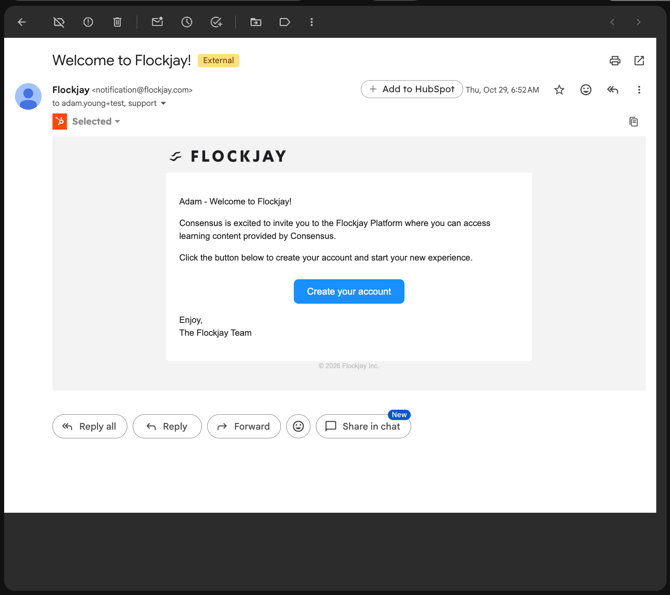
Tip: Don't see it? Check your spam or promotions folder for notification@flockjay.com, and ask your IT team to allowlist that address.
Step 2: Create your account
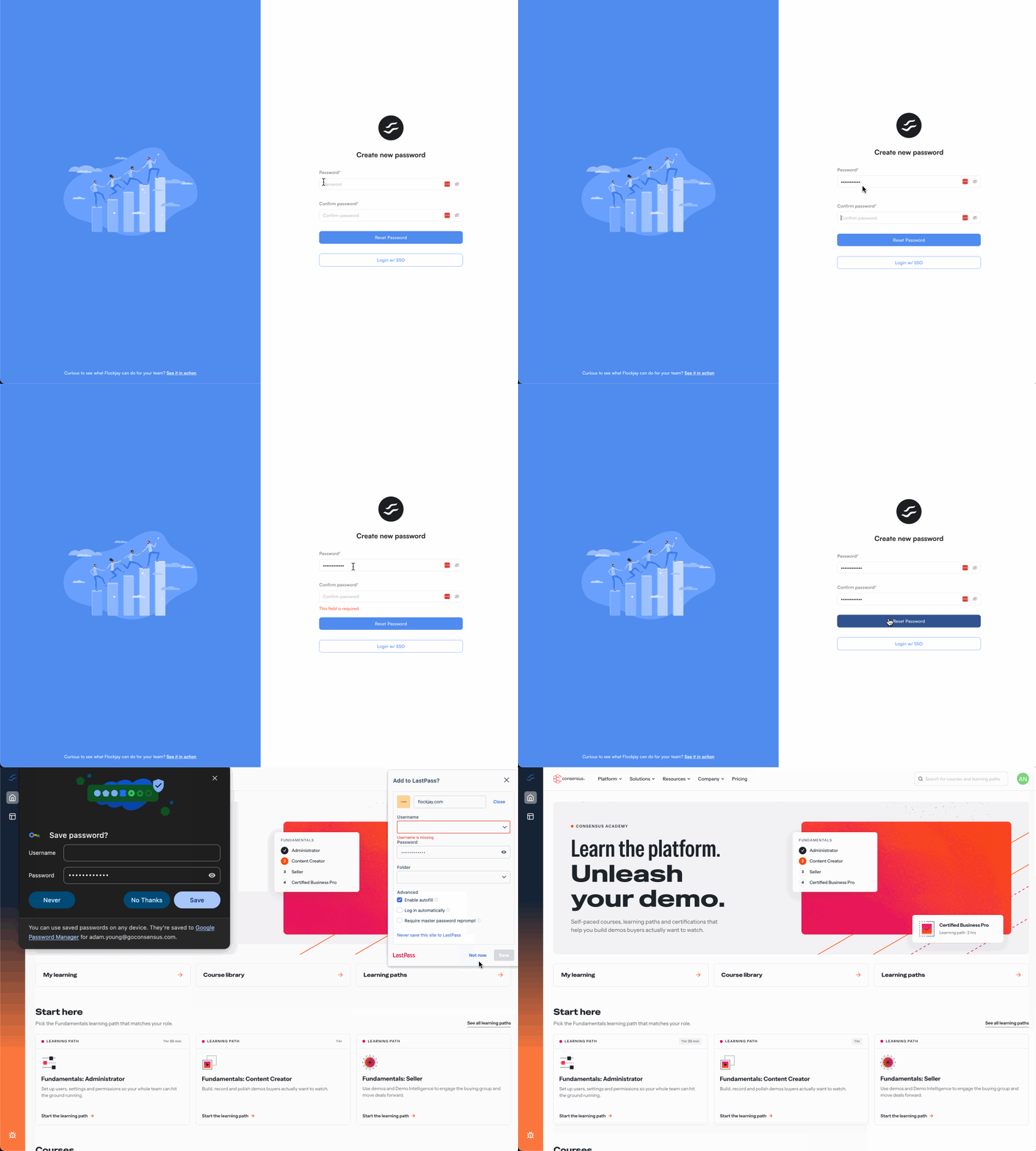
- In the invite email, click Create your account.
- On the Create new password screen, enter a password in the Password field.
- Enter it again in the Confirm password field.
- Click Reset Password to save it.
That's it. You're signed in and taken straight to the Academy home page.
Step 3: Explore the Academy
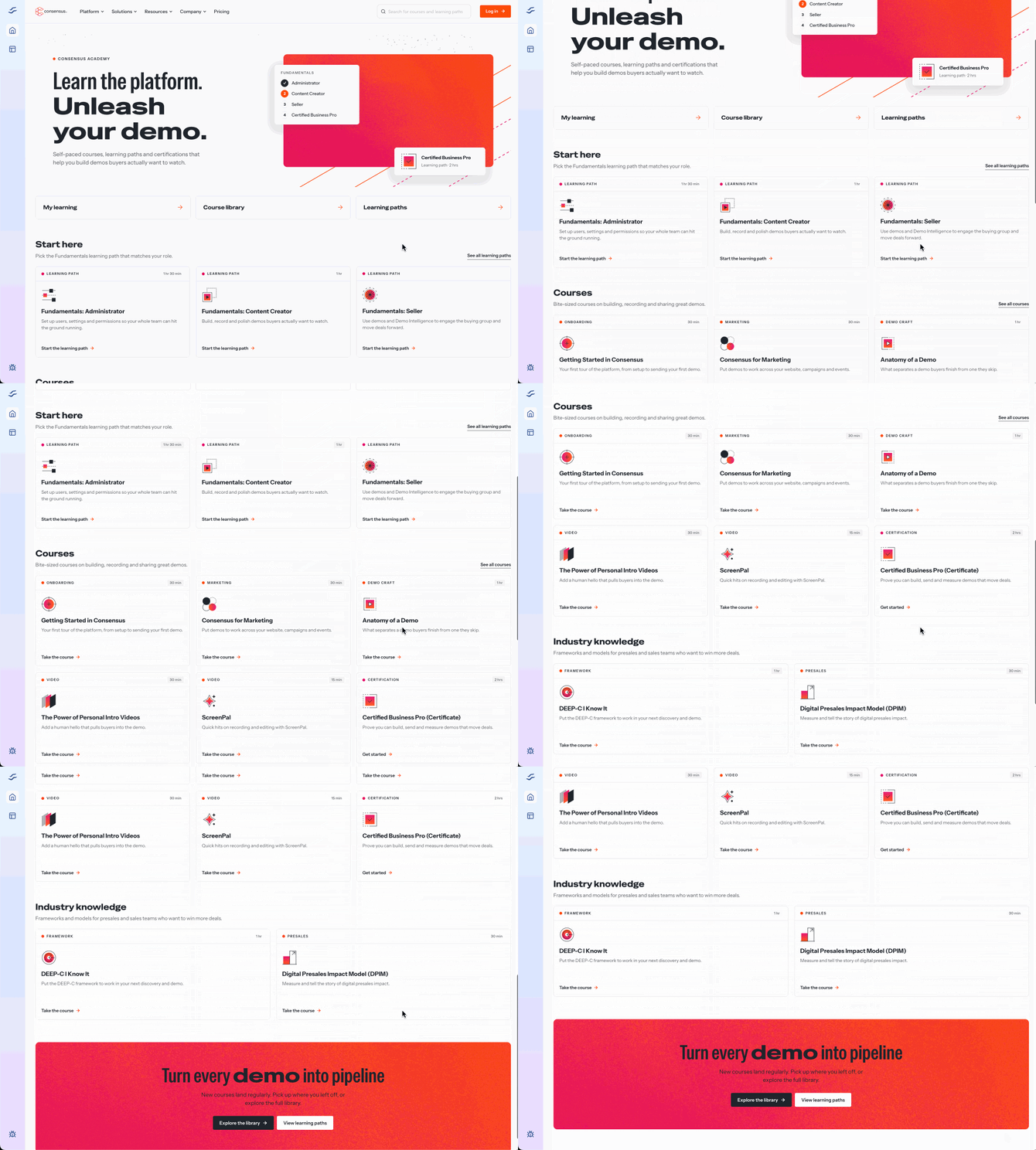
The Academy home page gives you three ways in:
- My learning: the courses and learning paths you've started, with your progress.
- Course library: every course in the Academy. Browse or use the search bar at the top to find a topic.
- Learning paths: guided sets of courses that take you from the basics to certification.
Not sure where to begin? Scroll to Start here and pick the Fundamentals path that matches your role.
Step 4: Pick a learning path and get certified
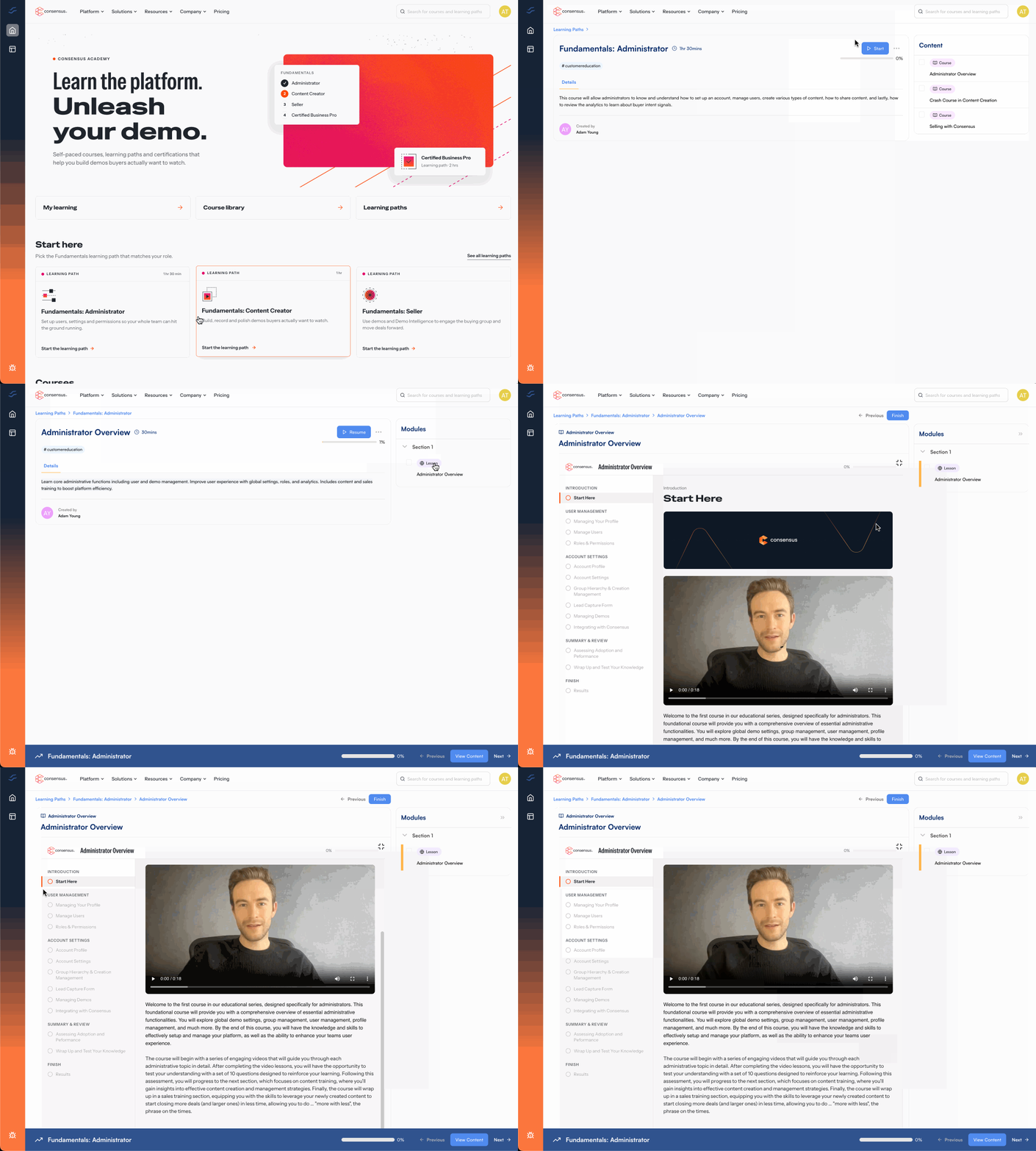
Each Fundamentals path is a quick-start guide for one role. Finish it to get certified as an Administrator, a Content Creator, or a Seller.
| Learning path | Best for | What you'll learn | Time |
|---|---|---|---|
| Fundamentals: Administrator | Admins who own setup and user management | Set up users, settings, and permissions so your whole team can hit the ground running. | 1 hr 30 min |
| Fundamentals: Content Creator | Anyone who builds demos, tours, or videos | Build, record, and polish demos buyers actually want to watch. | 1 hr |
| Fundamentals: Seller | AEs, SDRs, and CSMs who share demos | Use demos and Demo Intelligence to engage the buying group and move deals forward. | 30 min |
Click any learning path, then click Start the learning path. Your progress saves as you go, so you can come back anytime from My learning.
Open the Academy from Consensus
You can jump into the Academy right from the Consensus app:
- In the bottom left of Consensus, click Help.
- Click Academy.
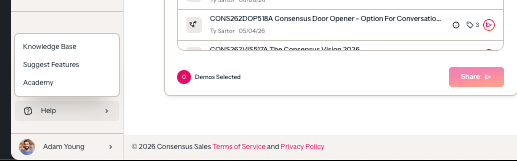
You can also go straight to consensus.flockjay.com/academy and click Log in in the top right. Bookmark it for quick access.
Troubleshooting and FAQ
I didn't get my invite email.
Invites go out one day after you're added to Consensus. Check your spam or promotions folder for an email from notification@flockjay.com with the subject "Welcome to Flockjay!". Still nothing after two days? Contact Consensus Support and we'll resend it.
The Create your account link isn't working.
Invite links can expire. Contact Consensus Support and we'll send you a fresh one.
Can I look around before I create my account?
Yes. You can browse the Academy home page at consensus.flockjay.com/academy. Log in to start courses, track your progress, and earn certifications.
How do my teammates get access?
Automatically. Once someone is added as a user in Consensus, they'll get their Academy invite one day later.
Which learning path should I start with?
Start with the Fundamentals path that matches your role. If you wear more than one hat, like setting up the platform and building demos, take both.
Ready to start? Open Consensus Academy and pick your learning path.