![Gradient_Horizontal_onDark-2.png]](https://support.goconsensus.com/hs-fs/hubfs/Gradient_Horizontal_onDark-2.png?height=40&name=Gradient_Horizontal_onDark-2.png)
Getting started with Consensus Tours
Consensus Tours are clickable, interactive walkthroughs of your product. They live in the DemoPlayer alongside video demos, and viewers can step through them at their own pace. Tours are especially powerful for product-led growth, self-serve onboarding, and replacing screenshare-based live demos with on-demand interactive experiences.
Two kinds of Tours
- Dynamic Tours — clickable walkthroughs built in the Tour editor using HTML Capture. Viewers interact with a captured snapshot of your product.
- Embedded into Demos — Tours can be attached to a Demo (Single Experience, Standard, or Discovery) as one of the demo's features. Viewers seamlessly transition from video content into a Tour and back.
Permissions
Creating Dynamic Tours requires the Dynamic Tour Creator permission. By default, the Dynamic Tour Creator standard role has this. For other roles, admins can add the permission via Custom Roles.
Build your first Tour
- Library → Dynamic Tours → Create Tour.
- Use HTML Capture to bring in a page from your product.
- Add Tour steps, hotspots, and callouts in the Tour editor.
- Save the Tour.
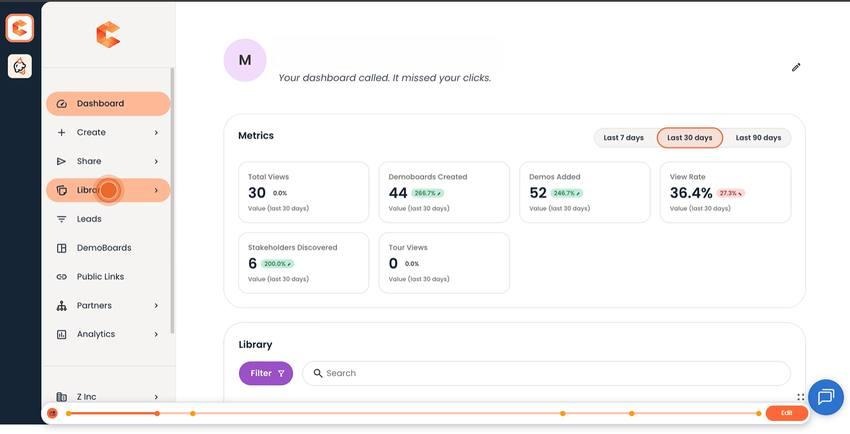
Tour editor canvas.
Attach a Tour to a Demo
- Open the Demo Wizard for the demo you want to attach the Tour to.
- Go to Step 3 (Demo Content).
- For each feature, choose Tour instead of (or in addition to) Long Video and Short Video.
- Pick the Tour from the dropdown.
- Save the demo.
See also
"Introduction to Consensus Tours" for the conceptual overview, "Dynamic Tours HTML Capture" for the page-capture mechanics.