
Set Public Link demos to autoplay
Autoplay starts the DemoPlayer playing immediately when a viewer lands on the page — no "Play" click required. Useful for embedded demos on landing pages and social posts where you want zero friction between arrival and engagement. Configure it per Public Link.
Browser caveat: Chrome, Firefox, and Safari all let users disable autoplay globally. If a viewer has that setting on, autoplay won't fire for them — they'll see a paused player. There's no way around the browser-level block.
How to enable autoplay
- Click Public Links → Create Public Link in the sidebar.
- Pick the demo you want to use.
- After the link is generated, toggle autoplay ON.
- Click Copy Link or Copy Embed Code — the URL or iframe will include the autoplay flag.
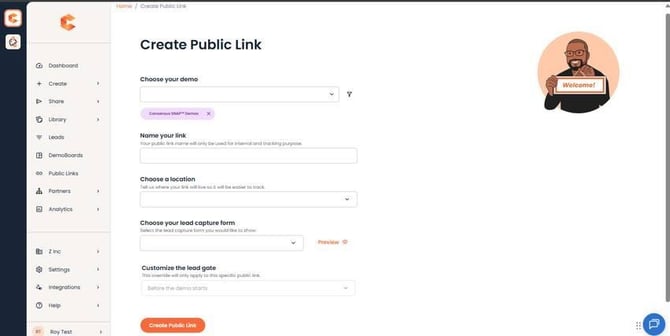
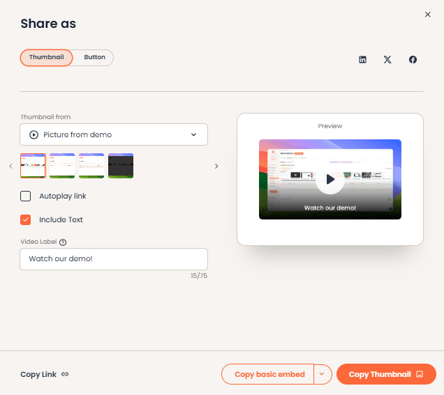
Public Links → Create Public Link — the autoplay toggle appears after the link is generated.
Important: changing autoplay updates the URL itself, not just the toggle state. If you've already pasted the link onto your website, you have to replace the existing link with the new one for the autoplay change to take effect.
What autoplay does NOT affect
- DemoBoards (Sales): autoplay is a Public Link-only feature. DemoBoards always require a viewer click to start.
- Demo Send integrations (Gmail, Outlook, Salesforce, SNAP, Outreach): unaffected.