
Keep competitors out of your demos
For sensitive or pre-release demos, you don't want competitors signing up to view your content. Consensus has multiple layers of protection — use them in combination based on your risk tolerance.
Layer 1: Block competitor email domains on Public Link forms
For Public Links, add competitor domains to the Lead Form's blocked-domains list. Anyone trying to submit a Lead Capture Form with a blocked domain is rejected immediately.
- Settings → Global Demo Settings → Public Links Lead Forms.
- Add competitor domains individually, or use the "Block free email domains" checkbox to block common free providers.
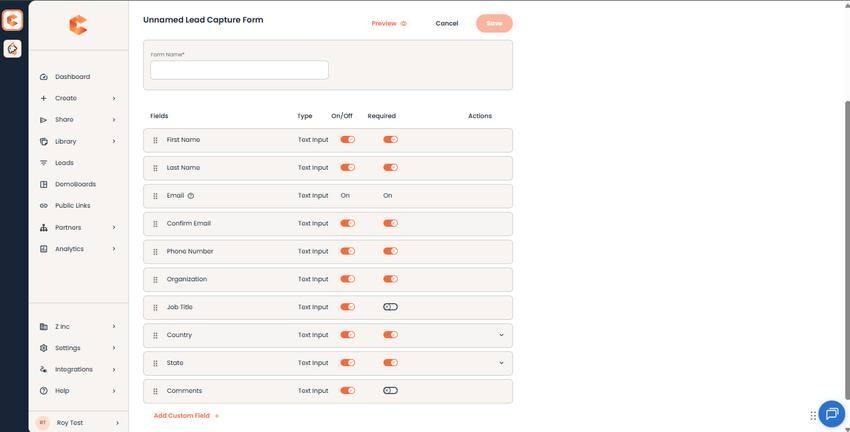
Lead Forms tab — domain blocking controls.
See "Email Domain Restrictions on Public Link Forms" for the full setup.
Layer 2: Restrict DemoBoard sharing by email domain
For DemoBoards, enable Restrict Sharing by Email Domain in Privacy & Security. Viewers can only access the DemoBoard if their email domain matches the original recipient list — competitors trying to share access with their own team are blocked.
- Settings → Global Demo Settings → Demo Viewer Settings → Privacy & Security → Restrict Sharing by Email Domain.
- Choose between Viewer Can Request Access (sends an approval request to you) and Viewer Cannot Request Access (hard block).
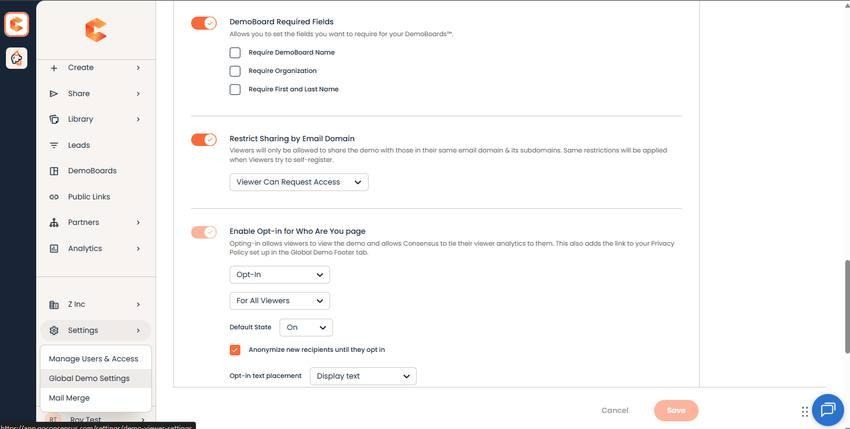
Privacy & Security — Restrict Sharing by Email Domain control.
See "Restricting DemoBoard Sharing by Email Domain" for the full walkthrough.
Layer 3: Increase Viewer Privacy + Two-factor Authentication
For maximum lockdown, set Viewer Privacy to High in Privacy & Security. Viewers must enter their email address (matched against the recipient list) to access the demo. Combine with Two-factor Authentication for DemoBoard, which sends a one-time PIN to the viewer's email — no access without a verified email + PIN.
Layer 4: don't use Public Links for sensitive content
Public Links are designed to be discovered. If your content is sensitive, use DemoBoards exclusively — every viewer is on a known recipient list, with full audit trail.
Combining the layers
- For typical sales demos: Increase Viewer Privacy = Low (the default) is enough.
- For pre-release or NDA-bound demos: Layer 2 (Restrict Sharing) + Layer 3 (Privacy = High) + Layer 4 (DemoBoards only).
- For competitor-sensitive Public Link demos: Layer 1 (block competitor domains) is required; pair with engagement monitoring to spot odd patterns.