
Unarchive a demo
Don't worry — archived demos are not deleted. Their data, Demolytics, and sent DemoBoards are all preserved. Unarchiving brings the demo back into your active create flows. Only Demo Owners, Admins, and Content Managers have permission to archive and unarchive.
Step-by-step
- Open Library → Demos.
- At the top of the table, find the purple "Hiding Archived Demos" filter chip. Click the X next to it to clear the filter. Consensus hides archived demos by default — clearing the filter is the unlock.
- Archived demos appear at the end of the list (greyed out). Scroll to the last page or use the search bar to find the demo you need.
- Hover the row and click the orange Unarchive icon in the Actions column.
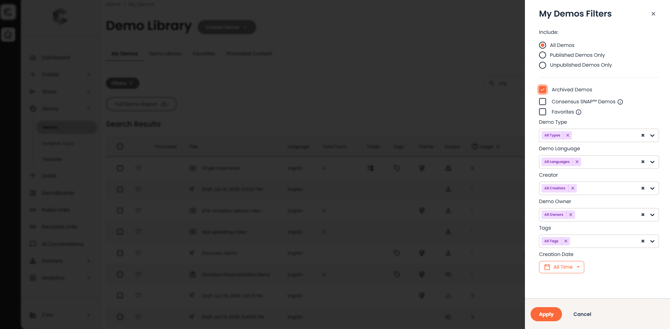 My Demos Filter - tick the Archived Demos to show the purple 'Archive Demos' filter, and click 'Apply'.
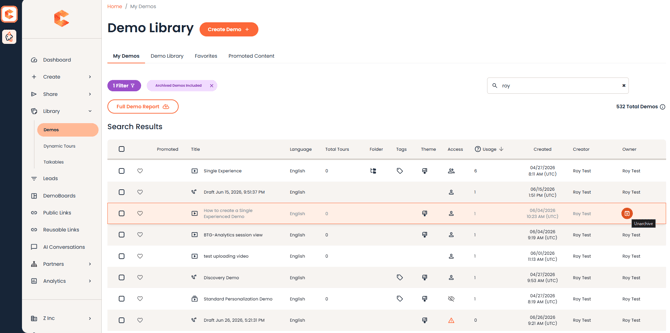 Demo Library — Archived demos appear greyed out with an Unarchive control in the Actions menu.