
Sharing Through Social Media setting
Within Global Demo Settings, you can enable a setting that lets prospects share your demo on their social media channels. When enabled, a share icon appears on the DemoBoard cover page.
Supported channels: LinkedIn, Facebook, X (Twitter).
Where to find it
Settings → Global Demo Settings → Demo Viewer Settings tab → Sharing section → Sharing Through Social Media toggle.
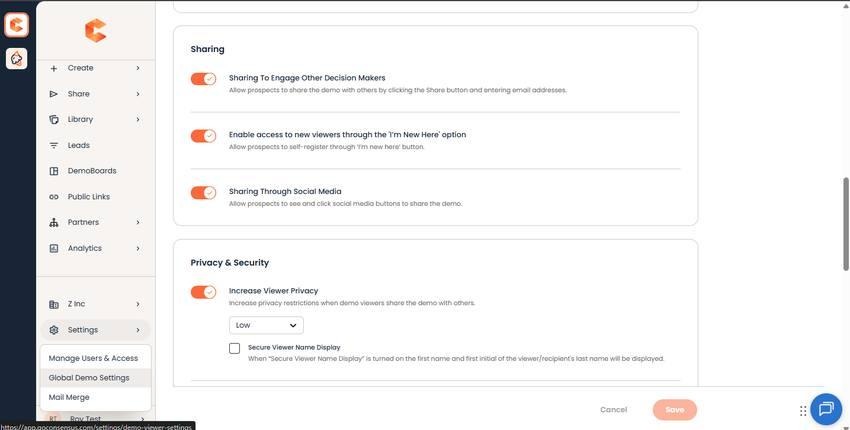
Demo Viewer Settings → Sharing section — Sharing Through Social Media toggle.
Why use it
- Your demo reaches the prospect's professional network — amplifies awareness without ad spend.
- Social shares can introduce buying-group members you didn't know about.
- Track engagement from social-driven views in the same organization analytics record.
See "Sharing Demos to Social Media Channels" for the full walkthrough including viewer experience.