
Configure session timeout
Session timeout controls how long a user can stay signed into Consensus before being automatically logged out. Tighter timeouts reduce the risk of unattended sessions; longer timeouts reduce friction for active users. The setting applies account-wide.
Where to find it
Settings → Manage Users & Access → Security Settings sub-section.
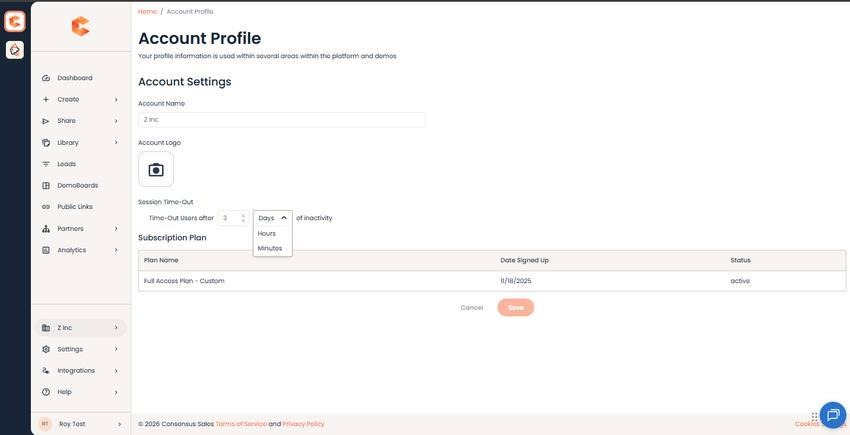
Session Timeout setting.
Configure
- Set the timeout duration in minutes or hours (typical values: 30 min, 1 hour, 4 hours, 8 hours).
- Click Save. The setting applies to every user immediately — existing sessions are honored until the next sign-in, then the new timeout takes effect.
Choosing a value
- 30–60 minutes — strict, common in finance and healthcare. Highest security; some user friction.
- 2–4 hours — typical for sales orgs. Balances security with workflow continuity.
- 8 hours — generous, fits a full work day. Useful where Consensus is open in a tab all day. Higher risk if devices are shared or left unattended.