
Create a Public Link for your demos
Consensus lets you turn any published demo into a Public Link that you can embed on your marketing pages or share through chat, social, or email. Public Links are built to capture leads at the top of the funnel — every viewer who fills out the lead form becomes a tracked lead in Consensus.
Open the Create Public Link page
Click Share in the left-hand sidebar to expand its sub-menu, then choose Public Link.
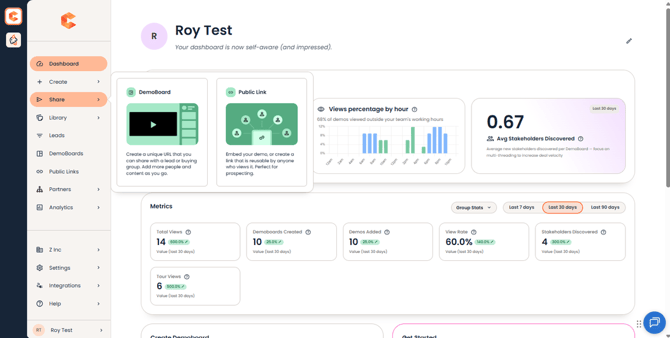 Share menu in the sidebar — DemoBoard and Public Link are the two options.
Pick a demo
The Create Public Link page opens with a list of all demos you have access to. Click a demo to select it, or use the filters at the top of the list to narrow down by demo type, owner, tag, folder, or favorite status.
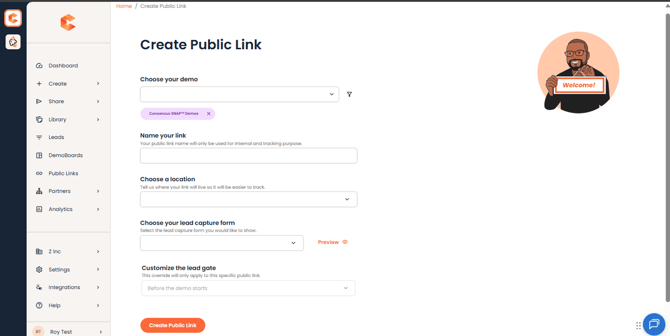 Create Public Link page — pick a demo to start.
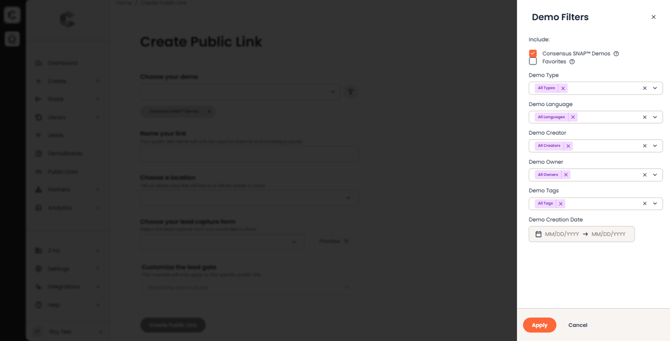 Demo filters — narrow your demo list by type, owner, tag, folder, or favorites.
Choose a location
After picking a demo, the Choose a Location section opens. This sets the geographic scope for the Public Link, which is used in regional analytics and for compliance controls (e.g. GDPR, CCPA opt-in defaults). Pick a region that matches where the link will be promoted.
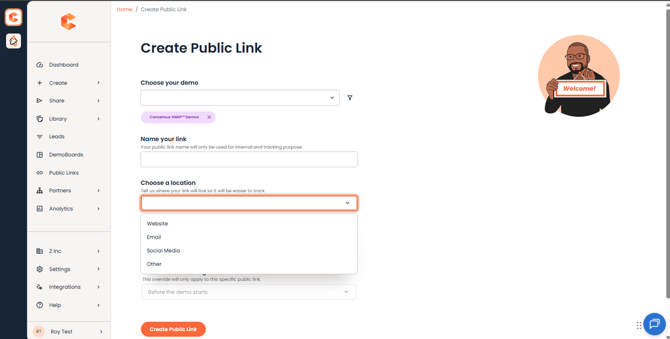 Choose a Location section — sets regional scope and opt-in defaults.
Choose your Lead Capture Form
The Lead Capture Form section attaches a form to the Public Link so you can collect lead data when someone watches the demo. Pick from your account-level Lead Capture Forms, or create a new one.
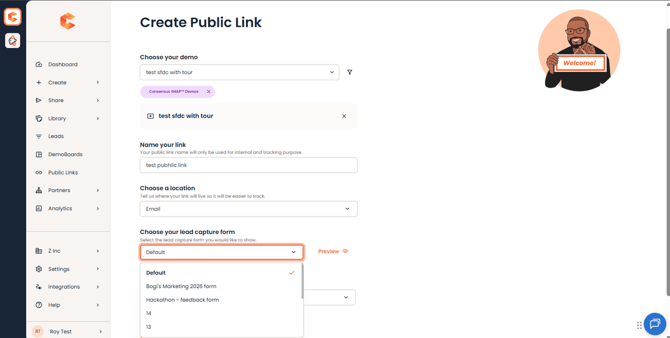 Choose your Lead Capture Form — pick an existing form or create a new one.
Customize CTA buttons (optional)
By default, a Public Link shows whatever CTA buttons are configured on the demo in Demo Builder. To make this specific link show different CTAs — without changing the demo itself — click Customize CTAs under Additional Options in the right-hand column.
-
Click Add CTA to create a button — up to 4 per link.
-
For each CTA, set a Label (the button text), Type (Primary or Secondary), and Action (open an external URL, trigger the lead form, or add a talkable).
-
Drag and drop to reorder buttons if you've added more than one.
-
Click Save.
Once saved, buyers see only the CTAs configured on this link — the demo's own CTA configuration, and any other Public Link pointing to the same demo, stay untouched. Skip this section and the link just falls back to whatever's set on the demo in Demo Builder.
NOTE: There's no preview of the CTA buttons before the Public Link is saved, so double-check labels and actions before publishing.
Customize the Lead experience
Customize the Lead is where you tailor what the viewer sees: opt-in messaging, the fields that appear before the demo plays, and the post-demo CTA. Defaults work for most accounts; expand the section if you need to override.
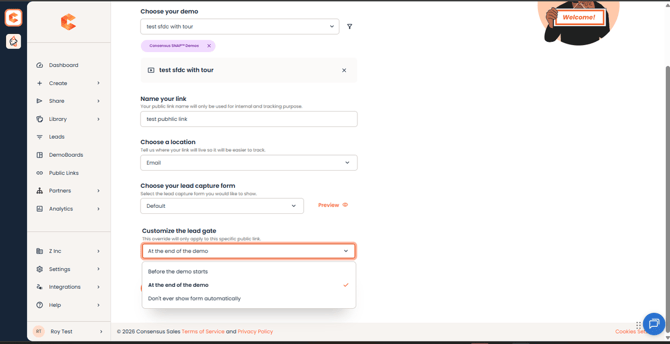 Customize the Lead — tweak opt-in messaging, lead form fields, and post-demo CTA.
Generate the link
Click Create at the bottom of the page. Consensus generates three ways to share the demo:
- Link — a direct URL you can paste anywhere.
- Embed Code — an <iframe> snippet to paste into your website. Use 1440 × 900 for desktop. For mobile, link directly to the demo URL instead so the DemoPlayer can go full screen.
- Thumbnail — a clickable image you can place on your site that links to the demo.
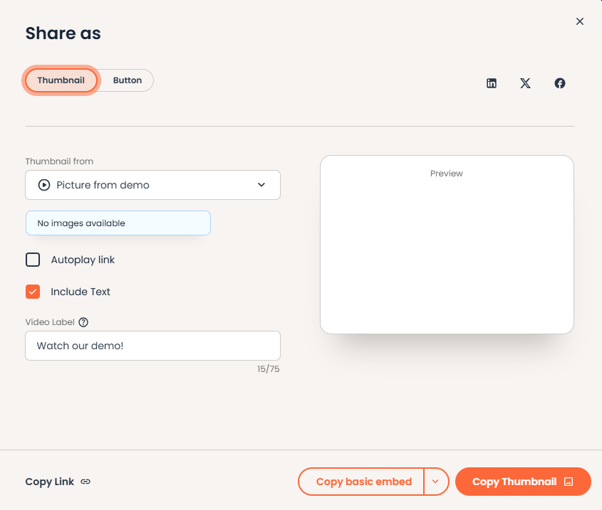 Share the Public Link with the three options available
Tips
- For mobile traffic, prefer the direct Link over the iframe — the DemoPlayer renders full screen, which is a better viewer experience.
- Public Links are reusable. You can come back to the Public Link page and grab the same link again — no need to create a new one each time.