![Gradient_Horizontal_onDark-2.png]](https://support.goconsensus.com/hs-fs/hubfs/Gradient_Horizontal_onDark-2.png?height=40&name=Gradient_Horizontal_onDark-2.png)
Reviewer note: this article duplicates the Content Creation article "Customizing Your Demo's Style Settings" (/customize_demoplayer_style_settings), which has already been rewritten in an earlier round. Recommend deprecating this URL with a 301 redirect to the canonical version.
See the canonical article
The full walkthrough lives at Customizing Your Demo's Style Settings. That article covers Theme, Language, Contact Info, the four logo positions (Cover, Sidebar, Player, Favicon), and the three brand colors (CTA & pop-up, Cover, Hotspot).
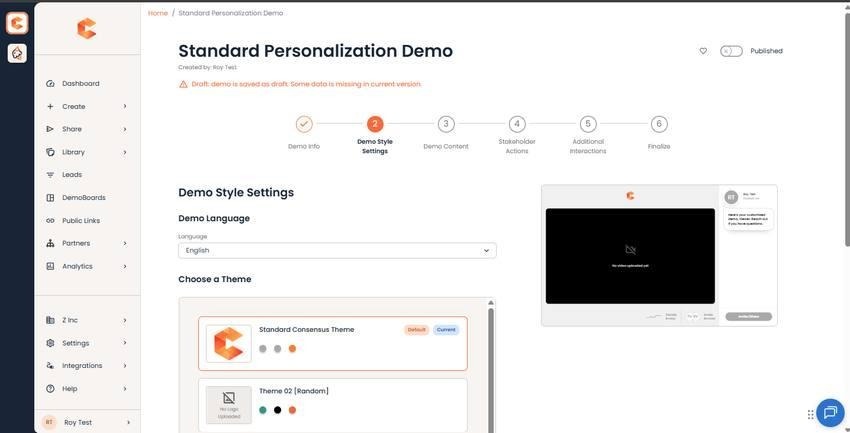
Step 2: Demo Style Settings — see the canonical article for the full walkthrough.